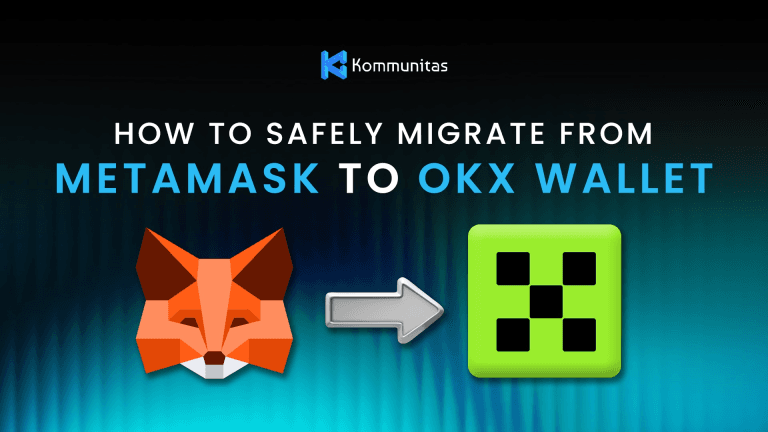
In the evolving world of Web3 and decentralized finance, wallet choice can make a big difference in security, performance, and convenience. Many users who began their journey with MetaMask are now exploring more advanced, multi-chain alternatives like OKX Wallet. Whether you’re looking for broader blockchain coverage, faster performance, or integrated dApp tools, migrating from MetaMask to OKX Wallet extension can be a smart move.
In mid-2025, MetaMask users faced an unexpected setback when a technical flaw in its browser extension caused excessive disk activity on certain Chromium-based browsers. This bug according to CoinPaper and Tom's Hardware led to abnormally high storage writes—reportedly reaching hundreds of gigabytes per day for some users—raising concerns about both device performance and long-term data health. Although MetaMask’s team quickly acknowledged the issue and began rolling out patches, the incident reminded many users of the hidden risks tied to browser-based wallets that haven’t undergone recent structural updates. The event served as a wake-up call across the Web3 community, prompting users to look for wallets that combine strong security, efficient performance, and modern optimization. As a result, many began migrating to alternatives trust wallets chrome extension like OKX Wallet, which offers smoother performance, frequent audits, and a lighter system footprint—delivering both peace of mind and a more reliable user experience.
Read Also How to Add Polygon to MetaMask
While MetaMask is the industry standard for simplicity, OKX Wallet is built for power users who need to move to another wallets. This guide will walk you through the entire migration process — from preparation to post-migration checks — in a simple, descriptive way. You’ll learn how to export your wallet safely, import it into OKX Wallet, and verify your assets. Even if you’re not very technical, this guide will help you perform the switch smoothly and confidently.
Why Migrate from MetaMask to OKX Wallet
While MetaMask is a trusted classic, the specific demands of a modern IDO investor—speed, multi-chain flexibility, and security for new assets—call for a more specialized tool. This is where OKX Wallet stands out for our community. Here’s why we recommend it based on the unique needs of a launchpad investor:
1. Superior Performance During High-Traffic Claims
The most stressful moment for any IDO investor is the claim. During a TGE, thousands of users compete for block space, leading to extreme network congestion and soaring gas fees. A wallet that lags or provides poor gas estimates can result in failed transactions and missed opportunities.
In our stress tests, OKX Wallet's infrastructure provides more reliable connection stability and more accurate, real-time gas estimations during these critical windows. This significantly increases the success rate for time-sensitive transactions like claiming your new tokens the moment they go live.
2. Seamless Multi-Chain Portfolio Management
The modern launchpad ecosystem is chain-agnostic. You might claim one IDO token on BNB Chain, another on Arbitrum, a third on Polygon, and hold KOM (our native token) all at the same time.
Manually adding RPCs and switching networks on MetaMask is cumbersome. OKX Wallet's built-in multi-chain support (over 100+ chains) is a game-changer. It automatically detects and displays your assets from different launchpads and chains in one unified interface. This is a massive quality-of-life improvement for tracking your diverse IDO portfolio without the headache.
3. Advanced Security for Newly-Launched Assets
Interacting with new smart contracts is the daily life of an IDO investor, but it's also a primary risk. You are often required to grant token approvals to new dApps to claim or stake your tokens.
MetaMask remains one of the most popular crypto wallets, but as Web3 expands, users are increasingly looking for more flexible, multi-chain solutions. OKX Wallet has gained attention for its wide blockchain coverage, built-in dApp access, and integrated tools for trading, bridging, and staking — all within one interface.
Here are some of the main reasons users are switching:
Multi-chain support — based on OKX Wallet review on Captera, this wallet supports over a hundred blockchains, including Ethereum, BNB Chain, Polygon, Avalanche, Bitcoin, Solana, and newer chains like Sui and Aptos. This means you can manage almost all your assets without constantly switching networks manually.
Improved user interface — Many find OKX Wallet’s layout cleaner and easier to navigate. Network management and token discovery are more automated, so you spend less time adding RPCs or importing token contracts.
Advanced features built-in — OKX Wallet includes tools for swaps, NFT viewing, staking, bridges, and portfolio tracking. You can handle DeFi activities directly without opening multiple browser tabs.
Enhanced security — The extension includes multiple security measures and regular updates. Because OKX Wallet is built by a large, established team, users benefit from professional audits and infrastructure support.
Seamless import process — Migrating from MetaMask is simple because OKX Wallet supports importing wallets using the same 12-word recovery phrase that MetaMask uses.
OKX Wallet includes proactive security features that are vital for this. It provides clearer warnings for potentially malicious sites and, most importantly, features an intuitive dashboard to manage your token approvals. This allows you to easily review and revoke permissions from old IDO dApps, significantly reducing your exposure to "token drainer" exploits and protecting your high-value, newly-acquired assets.
Whether you are a DeFi power user or just someone tired of manually managing networks, OKX Wallet offers an all-in-one upgrade with minimal friction.
Preparation Before Migration
Before starting the migration, preparation is critical. The following checklist ensures that the process is safe and smooth:
Update your MetaMask extension to the latest version. This prevents any compatibility issues when exporting your recovery phrase.
Write down your MetaMask recovery phrase on paper. Never store it digitally. This 12-word phrase is the key to your wallet — anyone who has it can access your funds.
Verify that your MetaMask is working correctly. Ensure that your balances, tokens, and NFTs are displaying properly and that you can connect to dApps.
Check for multiple accounts. MetaMask allows users to create multiple accounts under the same seed phrase. You may need to import additional accounts separately later if they do not appear automatically in OKX Wallet.
Use a clean, secure device. Make sure your computer or browser is free of suspicious extensions or malware. Close unnecessary tabs and keep only trusted extensions enabled during the migration.
Once you’ve confirmed everything is ready, you can start the migration.
Step-by-Step Guide to Migrate from MetaMask to OKX Wallet Extension
Step 1: Reveal and Record Your MetaMask Recovery Phrase
Your MetaMask recovery phrase is the secret key to your wallet. Here’s how to find it:
Open your MetaMask extension and unlock it with your password.
Click on your profile icon or the three-dot menu.
Go to Settings → Security & Privacy.
Scroll down and select Reveal Secret Recovery Phrase.
Enter your password again when prompted.
Carefully write down the 12 words in the exact order shown.
Make sure to store this phrase offline — write it on paper or a metal backup plate. Do not copy it to your clipboard, take screenshots, or upload it to the cloud.
This phrase will be used to import your wallet into OKX.
Step 2: Install OKX Wallet Extension
Open your browser’s extension store (for example, Chrome Web Store or Firefox Add-ons).
Search for OKX Wallet and verify that the developer is the official OKX account.
Click Add to Browser and wait for installation to complete.
Once installed, pin the OKX Wallet extension to your browser toolbar for easy access.
When opening OKX Wallet for the first time, you’ll see two options: Create New Wallet and Import Wallet. Since you already have a wallet in MetaMask, you’ll choose to import it.
Step 3: Import Your MetaMask Wallet into OKX
Click Import Wallet on the OKX welcome screen.
Select Seed Phrase as your import method.
Enter your 12-word recovery phrase exactly as you wrote it down — in the same order, with one space between each word.
Choose a strong local password for OKX Wallet. This password protects your wallet on your device; it is not the same as your MetaMask password.
Confirm and proceed.
After a few seconds, OKX Wallet will restore your MetaMask wallet, along with all associated addresses derived from the same phrase.
Step 4: Verify Your Wallet and Assets
Once your wallet is imported, you’ll want to confirm that everything has migrated correctly:
Check your primary address. It should match your MetaMask account’s main address.
Review your token balances. Popular tokens on supported chains should appear automatically.
Inspect NFTs and DeFi positions. OKX Wallet includes NFT and DeFi portfolio sections that help you view all your assets.
Add missing tokens or networks if needed. If some tokens don’t show up, use the “Add Token” or “Add Network” feature to re-add them manually.
If you used multiple accounts in MetaMask, OKX may only import the first address by default. You can import additional addresses by exporting each private key from MetaMask and importing it individually into OKX Wallet.
Step 5: Test the Wallet
Before using your new wallet for regular transactions, it’s wise to perform a few quick checks:
Connect OKX Wallet to a dApp (for example, a decentralized exchange or NFT marketplace) and ensure it connects successfully.
Send a small test transaction between your accounts or to a known address.
Confirm network switching. Try changing networks within the extension to see if all chains load correctly.
If everything works as expected, you’ve successfully migrated your wallet.
Step 6: Optional – Disable MetaMask to Avoid Conflicts
If you plan to use OKX Wallet as your main extension, it’s best to disable MetaMask temporarily to avoid pop-ups or connection conflicts when visiting dApps.
To do this:
Go to your browser’s extensions manager.
Locate MetaMask and click Disable or Remove.
You can always reinstall it later using your recovery phrase if needed.
This ensures that when you open a decentralized app, it connects directly to OKX Wallet instead of MetaMask.
Post-Migration Tips and Best Practices
After successfully migrating, take a few extra steps to keep your wallet organized and secure.
1. Keep Your Recovery Phrase Safe
Your 12-word seed phrase remains the master key to both MetaMask and OKX Wallet. Store it securely offline and never share it with anyone. If possible, use a hardware backup solution like a metal seed plate to protect it from fire or water damage.
2. Enable Security Features
OKX Wallet includes optional features like password locks and additional authentication prompts. Enable these settings to prevent unauthorized access in case your device is compromised.
3. Revoke Old Token Approvals
Over time, MetaMask users accumulate many token approvals that allow dApps to spend tokens. Consider using a token approval checker to revoke unnecessary permissions. This helps protect your funds from outdated or malicious smart contracts.
Read Also How to Cash Out on Trust Wallet
4. Familiarize Yourself with OKX Wallet Features
Take some time to explore OKX Wallet’s additional tools:
dApp discovery section for browsing decentralized apps.
Built-in swap and bridge tools for cross-chain transactions.
NFT gallery that automatically detects supported NFTs.
Portfolio tracker for managing all assets in one place.
These integrated tools can save you time and reduce reliance on third-party sites.
5. Backup and Sync Across Devices
If you use multiple browsers or devices, consider syncing your wallet manually. Always ensure that backups are offline and private. Avoid using cloud storage to share or back up your seed phrase.
Troubleshooting Common Issues
1. Missing tokens or balances
Some tokens might not appear immediately because they are on custom networks or use nonstandard token contracts. You can add them manually using the contract address.
2. Only one address visible
If you used multiple MetaMask accounts under the same seed, OKX might only import the first one. You can import the others by exporting their private keys from MetaMask and then importing each one separately into OKX Wallet.
3. Wrong or incomplete network list
If your preferred chain doesn’t appear, you can add it manually under “Custom Network” in OKX Wallet. You’ll need the network name, RPC URL, and chain ID.
4. Import errors
If OKX Wallet rejects your recovery phrase, check for typing mistakes, misplaced spaces, or capitalization. The 12 words must be exact.
5. Concern about security
If you suspect your recovery phrase might have been exposed, create a new wallet in OKX and transfer all assets to new addresses. This ensures maximum protection.
Benefits After Migration
Once you’ve settled into OKX Wallet, you’ll likely notice some immediate advantages:
Unified multi-chain experience. You no longer need to manually switch between chains — OKX Wallet detects them automatically.
Streamlined DeFi and NFT access. With built-in dApp integration, you can interact with decentralized services without copying addresses.
Better performance. Many users report faster transaction signing and network switching compared to MetaMask.
All-in-one dashboard. View, trade, bridge, and stake assets from one wallet interface.
These improvements can save time and make Web3 interaction much more seamless.
Final Thoughts
Migrating from MetaMask to OKX Wallet extension is not just a change in software — it’s an upgrade in how you interact with the blockchain ecosystem. With OKX’s extensive chain support, integrated features, and polished interface, managing multiple assets becomes easier and more secure.
However, remember that wallet safety always depends on you. Keep your recovery phrase offline, verify every extension before installing it, and stay cautious about phishing attempts. The best wallet in the world can’t protect you from human error — so take your time and double-check every step.
Once your migration is complete, you’ll enjoy a more powerful, flexible, and user-friendly Web3 experience. Whether you trade, collect NFTs, or explore new dApps, OKX Wallet can serve as your secure gateway to the decentralized future.