
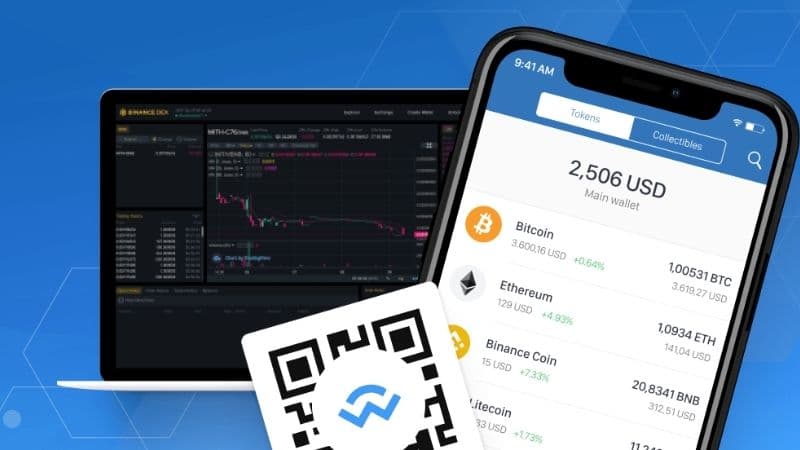
Trust Wallet is one of the safest and most secure apps to buy, store and exchange cryptocurrencies and NFTs right from your smartphone. It is private, and unlike similar services, does not collect any personal data. However, like a program, Trust Wallet can occur with system errors, which are commonly called Trust Wallet Glitch. Another great feature is that your wallet is decentralized and you have full control over your private keys.
As we mentioned, problems can occur (Trust Wallet Glitch). For example, your coins don't show up in Trust Wallet. Therefore, it will be explained how to overcome it. But before moving on to discussing the Trust Wallet Glitch, it's good to know what Trust Wallet is.
Trust Wallet Glitch
By knowing about Trust Wallet and its various interesting features, you also need to know some of the errors that occur quite frequently in Trust Wallet or Trust Wallet Glitch, so you can solve them when you experience this. The following is an example of an error that occurs and how to solve it.
1. Coins Not Displaying or Trust Wallet Showing 0 Balance

Verify on Blockchain Explorer The safest way to check your funds is directly on the blockchain. Find your public wallet address and paste it into a reliable explorer like BscScan or Etherscan. If your balance shows up here, your funds are safe, and the issue is purely a display glitch in the app. This confirms your money is not lost.
The Trust Wallet connects different blockchains. Your wallet doesn't actually contain any money. This app only holds and keeps the keys for you to be able to connect to the network, make transactions, and finally make transactions. Fortunately, this means that if coins don't show up in your wallet, that doesn't mean they're gone.
While this app supports more than 40 blockchains, it doesn't support all of the available ones. Unsupported coins will not appear in your wallet. Luckily, if coins are supported, you can try adding them manually.
How To Fix It
- Try checking your internet/VPN connection. This is a simple but often overlooked solution. You need to have an internet connection for Trust Wallet to function effectively.
- Try turning on and off your Wi-Fi and Mobile Data. Then, try to open a web browser to see if you are indeed have a working internet connection. In rare cases, it could be your VPN causing the problem. Some countries block access to cryptocurrency sites and apps. While enabling a VPN does offer advanced security, it can cause problems with Trust Wallet. Try checking your balance with a deactivated VPN.
- Try re-importing your wallet. Before re-importing your wallet, make sure you have backed it up. Next, remove your wallet directly and then restore it.
2. PancakeSwap Connection Error on Trust Wallet
The next error in Trust Wallet or Trust Wallet Glitch is the Trust Wallet and PancakeSwap connection that has an error. In order to exchange tokens on the PancakeSwap platform, you need to be connected to a cryptocurrency wallet such as Trust Wallet. Some users have sent reports regarding error receiving message when trying to link their Trust Wallet to a decentralized exchange.
One of the most common seems to be “Provider Error. No providers found.” Getting this warning means you will not be able to exchange tokens on PancakeSwap.
How to fix it
- Launch PancakeSwap and open Trust Wallet. Click the browser icon in the Trust Wallet bottom navigation bar. Scroll to “Popular” and press “PancakeSwap” to open it in the DApp browser. Go to the top navigation bar and tap “Connect.” Select “Trust Wallet” in the pop-up box that appears.
- You may also fix connection issues on Trust Wallet using WalletConnect. Open your browser of choice and go to the PancakeSwap website. Press “Connect” in the upper right corner of the screen. Click “Connect to wallet” and tap “WalletConnect” instead of “Trust Wallet.” Scroll through the list of crypto wallets and press “Trust”. Tap “Open” on the pop-up message that appears, asking you to open Trust Wallet. Press “Connect” to complete the process.
Common Trust Wallet Problems & Solutions
Here is a collection of the most common Trust Wallet problems, errors, and their corresponding solutions.
1. Transaction Issues (Failed, Stuck, or Pending)
| Problem/Error | Cause | Solution |
| Transaction Failed/Rejected | Insufficient Gas/Network Fees: The fee (paid in the network's native token, e.g., ETH for Ethereum, BNB for Smart Chain) was too low for the network to process. | Increase Gas Fees: Manually increase the gas limit or gas price/fee (if the option is available for the network) to ensure miners/validators prioritize your transaction. |
| Transaction Stuck/Pending | Network Congestion: The blockchain is currently busy, and your low-fee transaction is waiting. | Wait or Speed Up: Wait for the network congestion to clear. For EVM-based chains (Ethereum, BSC, Polygon), you may be able to speed up the transaction by submitting a new transaction with a higher gas fee. |
| "Insufficient balance for transaction" | You don't have enough of the network's native token to pay the gas fee, even if you have enough of the token you want to send/swap. | Acquire Native Token: Ensure you have a small amount of the blockchain's native currency (e.g., BNB for Binance Smart Chain, ETH for Ethereum) to cover the network fee. |
| Swap/DEX Failed | Slippage Tolerance: The token price moved too much during the transaction, exceeding your set slippage limit. | Adjust Slippage: Increase the slippage tolerance in the swap settings (e.g., from 0.5% to 1% or higher) to account for price volatility. |
| Low Liquidity: There isn't enough of the tokens you are trying to swap in the liquidity pool. | Swap Smaller Amount: Try swapping a smaller amount of the token, or check if the token has an active liquidity pool. |
2. Missing or Not Visible Crypto
| Problem/Error | Cause | Solution |
| Crypto Not Showing (Transaction confirmed on a block explorer) | Token Not Enabled: The specific token is not yet visible in your wallet's list of assets. | Manually Add Token: Go to the "Manage" or "Add Tokens" list (usually the icon in the top right), search for the token by name or paste its official contract address (ensuring the correct network is selected) and toggle it on. |
| Sent to Wrong Network (e.g., sent BEP-20 token to an Ethereum address) | Funds Sent on Incorrect Network: The funds are on the correct address but on a different blockchain than the one you are viewing. | Enable the Correct Network: Ensure the network on which the token was sent (e.g., BNB Smart Chain, Polygon) is enabled in your Trust Wallet settings. In some advanced cases, you may need a recovery tool or bridge service, or import the Private Key of the correct derivation path (use extreme caution). |
| Incoming Transaction Not Showing | Display Issue/Internal Transaction: Trust Wallet sometimes doesn't display or notify for internal/multi-send transactions, even though the funds are received. | Verify on Block Explorer: Use the transaction ID (TXID) on the appropriate blockchain explorer (Etherscan, BscScan, etc.) to confirm the funds have reached your public address. Your correct balance will still be available. |
3. App and Connection Issues
| Problem/Error | Cause | Solution |
| Trust Wallet Not Loading/Crashing | Outdated App Version/Software Glitch: The app is out-of-date or has a temporary bug. | Update and Restart: Update the Trust Wallet app to the latest version. If that fails, restart your device. |
| Inability to Connect to DApps (WalletConnect) | WalletConnect v1.0 Shutdown: WalletConnect updated to v2.0, and some older dApps/wallets may use the obsolete version. | Update App/Try In-App Browser: Ensure your Trust Wallet app is fully updated. If on a desktop, try connecting using the WalletConnect option and scan the QR code. If on mobile, use the dApp's dedicated button to connect the wallet. |
| Internet-Related Errors | Poor Connectivity/VPN/Server Downtime: Connection is unstable, or a firewall/VPN is blocking blockchain access. | Check Connection: Switch between Wi-Fi and mobile data. Temporarily disable any VPN or firewall to see if it resolves the issue. |
Important Security Note
NEVER share your 12-word Secret Phrase (Recovery Phrase) or Private Key with anyone, including anyone claiming to be Trust Wallet support.
Trust Wallet support will never ask for this information. Be wary of fake support numbers or links.
Always seek official support through the official Trust Wallet website or app's help section. If you are asked to enter your Secret Phrase on a website to "validate" or "sync" your wallet, it is a scam.
What Is Trust Wallet?
Trust Wallet is a crypto wallet software, or a wallet for storing token or cryptocurrency coin information in a private way. Trust Wallet currently supports most types of crypto assets and NFTs. Trust Wallet claims that their software supports more than 1 million assets and 53 blockchains.
Read Also Securing using Multisig Wallet
Why Need A Crypto Wallet?
Crypto asset owners want their assets to be stored in the safest possible place. With a crypto wallet, only the owner of the crypto asset can access the asset's information. This is in contrast to storing crypto on a centralized exchange account like Binance, where the exchange holds information on the assets of its users.
Assets held by a centralized third party are less secure than when users manage their own wallets and private keys. Crypto wallets minimize the possibility of assets being hacked. Trust Wallet is known to have a good security system and they never ask users to enter personal data or information.
Trust Wallet is one of the most popular and widely used crypto wallets. Currently at the end of 2021, Trust Wallet has been used by more than 10 million people.
Trust Wallet Features
Trust Wallet as one of the widely used crypto wallets has many features. The following are the features offered by Trust Wallet to facilitate crypto saving and trading activities.
1. Secure access
The owner of the asset is given a private access key, so that only the owner can access his own assets.
2. Multicoins
Trust Wallet can facilitate many types of cryptocurrencies, especially the most popular and widely used ones so that users can buy, sell, and exchange various coins, blockchains, and other digital assets, including NFTs.
3. Flower
By using Trust Wallet, users can earn interest on your assets.
4. Credit card exchange
Unlike many cryptocurrency exchange platforms, Trust Wallet allows users to quickly buy crypto using a credit card
5. Decentralized applications (DApps)
Trust Wallet can also be used as a DApps browser. This makes it easy for users to find businesses and vendors that accept cryptocurrency as a means of payment
6. Notifications
One of the best things about Trust Wallet in mobile software is the notifications. With the notification feature, users don't have to worry about missing important information because the information has been sent in the form of a cellphone notification.
Read Also: Fix Unsupported Chain ID PancakeSwap
That's an article about what is Trust Wallet and Trust Wallet Glitch that commonly occurs and how to fix it. This article provides troubleshooting steps for common software issues. Kommunitas does not provide official technical support for Trust Wallet. Always ensure you back up your 12-word recovery phrase and never share it with anyone. Cryptocurrency investment carries risk, and this is not financial advice.
Reference:
1. https://coinlaw.io/binance-trust-wallet-glitches-market-crash/
2. https://www.bitget.com/news/detail/12560604442961